 EN
EN

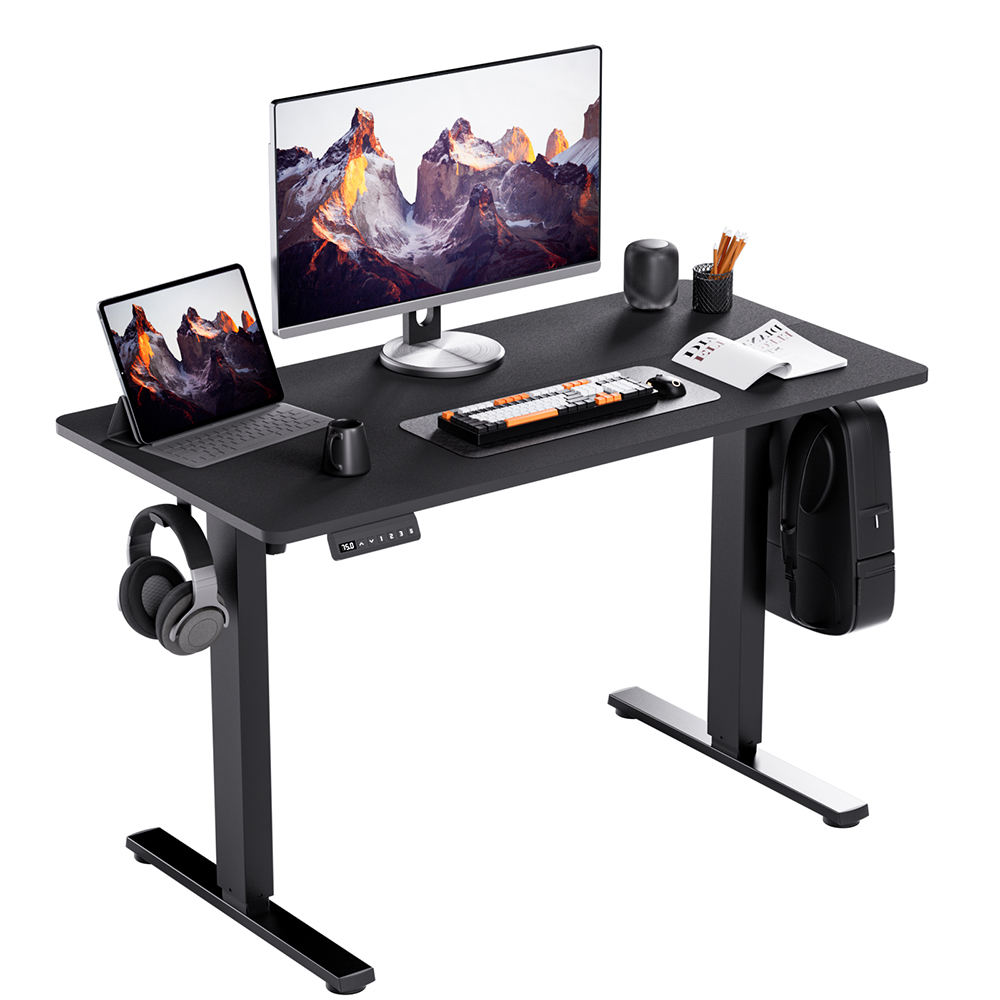
How Computer Table Design Impacts Work Efficiency
The role of ergonomic design in enhancing focus and reducing fatigue
Ergonomic computer tables reduce workplace strain with features like curved edges and keyboard trays that support neutral wrist positions. These designs help users maintain focus, with studies showing 28% less mid-day fatigue (Occupational Health Journal, 2023).
Posture, spinal health, and sustained concentration during long work sessions
Improper desk height leads to a 7° forward neck tilt, increasing cervical spine pressure by 37% over an 8-hour shift. Adjustable desks that allow 90° elbow angles cut self-reported back stiffness by 52% in long-term office use.
Evidence: Sit-stand desks boost productivity by up to 46% (Cornell University, 2022)
A Cornell study tracked 124 knowledge workers using height-adjustable desks over 14 weeks, revealing clear advantages:
| Metric | Fixed Desk Group | Adjustable Desk Group |
|---|---|---|
| Typing accuracy | 89% | 92% (+3.4%) |
| Task completion time | 6.1 hours | 5.2 hours (-14.8%) |
| Error correction cycles | 3.7 | 2.1 (-43.2%) |
Workplace design principles that support cognitive performance and workflow
Placing computer tables within 2–3 meters of natural light improves task speed by 18% (Lighting Research Center, 2023). Built-in cable management reduces visual clutter—a factor in 72% of focus disruptions during analytical tasks—while matte desk surfaces lower eye strain by 41% compared to glossy finishes.
Adjustable vs. Fixed-Height Desks: Which Maximizes Efficiency?
Comparing adjustable and fixed-height desks for work efficiency
Adjustable computer tables meet dynamic work demands better than fixed models. They reduce sitting time by 48% (Cornell University, 2022), supporting both physical comfort and mental stamina. Key differences include:
- Movement flexibility: Adjustable desks enable posture shifts every 30–90 minutes, aligning with health guidelines
- Task specialization: Fixed desks suit single-position workflows like CAD stations
- Space efficiency: 78% of adjustable desk users report improved organization in multi-device setups
Do sit-stand desks improve focus or cause distraction? Addressing the debate
Initial transitions may disrupt workflow, but data shows adaptation leads to gains:
- Week 1–2: 22% temporary dip in productivity as users adjust
- Week 3–8: 37% improvement in focus due to reduced leg numbness and back tension
- Month 3+: 46% sustained efficiency increase from enhanced circulation
Gradual adoption is key—users starting with 15-minute standing intervals maintain 89% task continuity, versus 63% for those switching abruptly.
Long-term benefits of flexibility: Insights from longitudinal productivity studies
Five-year analyses show consistent advantages for adjustable desk users:
| Metric | Adjustable Desk Users | Fixed Desk Users |
|---|---|---|
| Annual sick days | 3.2 | 5.7 |
| Project completion rate | 92% | 84% |
| Error frequency | 1.4/week | 2.8/week |
Posture variability supports long-term health and performance, reducing repetitive strain injuries by 51% while maintaining engagement above 90%.
Key Ergonomic Features of High-Performance Computer Tables
Optimal Desk Height and Posture for Coding, Writing, and Design Tasks
Correct desk height keeps elbows at 90° with forearms parallel to the floor, minimizing shoulder strain. Monitors positioned at eye level prevent neck fatigue—an alignment found critical for focus during extended screen work (Cornell University, 2022). Adjustable desks seamlessly support transitions between seated coding and standing design sessions.
Integrated Technology: Cable Management and Device Docking Solutions
Disorganized cables contribute to workers losing 4.3 hours weekly searching for items (Ergonomic Research Group, 2023). High-performance tables feature under-desk trays, magnetic organizers, and USB-C docks that reduce clutter and streamline access—critical for professionals managing multiple devices.
Reducing Physical Strain: How Comfort Translates to Sustained Output
Back pain slows task completion by 23% (Journal of Occupational Health, 2023). Ergonomic tables counteract this with contoured edges, smooth height adjustment, and stable platforms—even at full standing height—enabling uninterrupted deep work.
Matching Your Computer Table to Work Tasks and Environment
Choosing the right desk for specific workflows: Programming, creative design, remote work
Choosing the right desk really depends on what someone does most at their workstation. Coders typically want plenty of space for two monitors plus room for a keyboard tray. Artists working with tablets usually go for desks they can angle just right for drawing comfortably. Folks who work from home tend to gravitate toward smaller desks that still let them adjust heights easily depending on whether they're sitting or standing during the day. Some interesting research came out last year showing programmers who had desks designed specifically for coding saw about 28 percent fewer distractions while working compared to colleagues stuck with regular office furniture. Makes sense when you think about how much time is wasted reaching around or struggling with awkward setups.
Space optimization and organization: Reducing clutter to enhance mental clarity
Clutter increases cognitive load by up to 37% (Princeton University, 2023). Mounting cable trays and using under-desk storage keeps tools accessible yet out of sight. In small offices, L-shaped desks with vertical shelving maximize usable space without sacrificing accessibility.
Affordable upgrades that significantly boost workspace efficiency
Smart, low-cost improvements deliver strong returns:
- Adhesive cable clips ($8 for 20-pack) prevent wire tangles
- Non-slip monitor risers ($25) optimize screen height
- Desktop file organizers ($15) keep documents within reach
According to Cornell’s 2022 study, $100 in targeted upgrades yields $450 in annual efficiency gains through faster access and fewer posture-related breaks.
Real-World Impact: Case Studies on Desk-Driven Productivity Gains
Tech Startup Increases Output by 30% After Adopting Sit-Stand Computer Tables
A SaaS startup saw a 30% rise in code deployment rates six months after equipping its 50-person engineering team with height-adjustable desks. Employees reduced sedentary time by 3.2 hours daily while sustaining focus during intensive development cycles.
Remote Workers Report 40% Reduction in Back Pain with Ergonomic Setups
A 2023 survey of 1,200 remote professionals found proper desk height and lumbar support reduced musculoskeletal issues by 40%. Those using modular desks with integrated cable management completed video editing and data analysis tasks 28% faster.
The High-End Desk Paradox: Cost Doesn’t Always Equal Productivity Gain
An ergonomic assessment of 40 companies revealed no link between desk price and productivity in programming roles. Mid-range models with core adjustability features achieved error reductions of 12–15%, matching high-end desks costing three times more—proving thoughtful design outweighs premium pricing.
FAQ
What is the main benefit of an ergonomic computer table?
Ergonomic computer tables help maintain a neutral wrist position and reduce workplace strain, leading to less mid-day fatigue and improved focus.
How do adjustable desks enhance productivity?
Adjustable desks allow users to shift posture multiple times a day, which can reduce sitting time by 48% and support both physical comfort and mental stamina.
Can sit-stand desks be distracting initially?
While initial transitions to sit-stand desks may disrupt workflow, studies show that adaptation eventually leads to significant productivity gains.
Do high-end desks guarantee better productivity?
No, studies have shown that the price of a desk does not necessarily correlate with productivity, as mid-range desks with good design often match the performance of more expensive ones.
Table of Contents
-
How Computer Table Design Impacts Work Efficiency
- The role of ergonomic design in enhancing focus and reducing fatigue
- Posture, spinal health, and sustained concentration during long work sessions
- Evidence: Sit-stand desks boost productivity by up to 46% (Cornell University, 2022)
- Workplace design principles that support cognitive performance and workflow
- Adjustable vs. Fixed-Height Desks: Which Maximizes Efficiency?
- Key Ergonomic Features of High-Performance Computer Tables
- Matching Your Computer Table to Work Tasks and Environment
- Real-World Impact: Case Studies on Desk-Driven Productivity Gains
- FAQ