 EN
EN

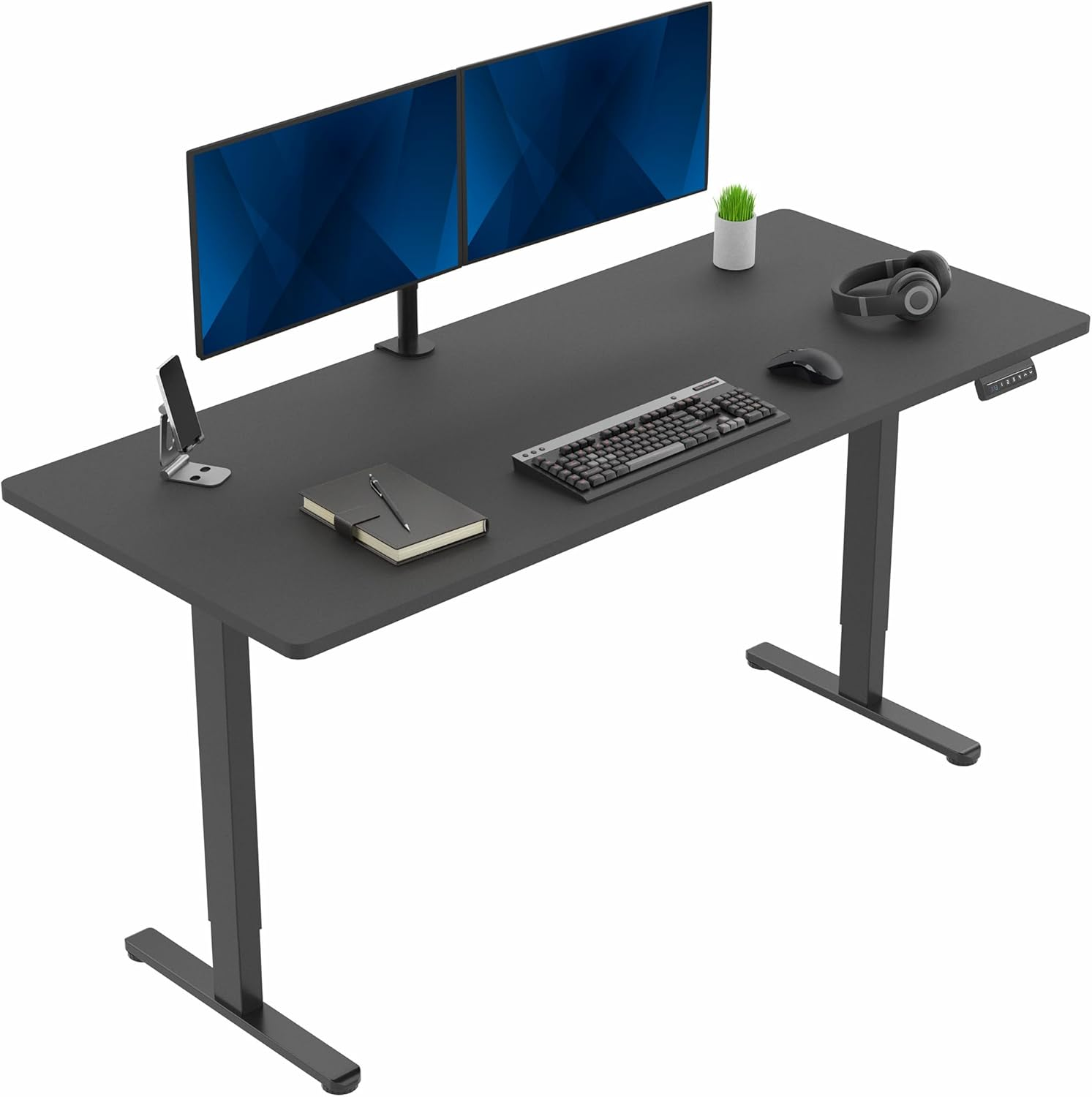
Key Dimensions and Space-Saving Footprint Requirements
Optimal width, depth, and footprint thresholds for small offices (e.g., Ä48" width, Ä24" depth)
When picking out an adjustable height desk for smaller office spaces, getting the dimensions right matters a lot. The ideal width tops out around 48 inches, which gives room for two monitors but doesn't take over the whole workspace. Depth is just as important too. Anything deeper than 24 inches starts eating up valuable floor space fast, about 7 to 10 percent extra per inch added in cramped quarters. Studies on ergonomics suggest desks between 42 and 48 inches wide work well for most tasks, covering about 92% of typical workflows without wasting precious square footage. And remember to check the total footprint including the base itself. Most small offices need to keep everything within roughly 15 square feet at maximum, something like a 46 by 46 inch area works pretty well. This leaves enough space for people to move around comfortably and still have areas where teams can gather when needed, especially important in offices under 150 square feet.
Real-world layout trade-offs: clearance for chairs, movement, and adjacent furniture
When installing those compact height adjustable tables, proper clearance planning is really important. Keep at least 30 inches behind each desk for people to shift positions comfortably while adjusting table heights. There should be around 24 inches between pieces of furniture so folks can move around freely when they stand up. For corners where desks meet walls, leave an 18 inch radius clear so workers can rotate from sitting to standing positions smoothly. Storage units next to workstations need about 15 inches of space for doors to open properly. If that's not possible, sliding drawers tend to work better in tight spaces. Getting these dimensions right makes all the difference in maintaining both mobility and function throughout the workspace. A little extra thought on spacing goes a long way toward making sure everyone can work comfortably without bumping into things or feeling cramped.
Ergonomic Height Adjustability for Compact Workspaces
Matching height adjustable table travel range (e.g., 24–50") to user height and dual-posture needs
The adjustable range from 24 to around 50 inches works well for people who are anywhere from 5 feet tall up to about 6 foot 2 inches. This covers most common sitting heights at the elbows (usually between 23 and 28 inches) as well as standing positions. Getting these adjustments right matters a lot for keeping good posture and avoiding back pain or other muscle strains over time. Take someone who is 5'4", they'll generally want something close to 25 inches high when sitting down to work, but might need anywhere between 40 and 44 inches when getting up to move around, though shoes can make a difference there too. Research in ergonomics shows that having furniture that adapts to both sitting and standing postures actually cuts down on how much time people spend sitting still each day by roughly 53 minutes on average. That makes accurate height settings really important in spaces where there isn't much room to walk around freely.
Balancing adjustability with space constraints: low-profile bases and minimum floor-to-desk clearance
Space-efficient designs prioritize low-profile bases and optimized clearance without sacrificing stability or function. Slim C-frame configurations maintain structural integrity while reducing legroom intrusion by 30% compared to traditional T-frames. Ensure at least 24" floor-to-desk clearance in the lowest position to preserve knee space for seated users. In tight quarters, prioritize:
- Motorized columns Ä 2.5" in diameter
- Minimum 2" ground clearance for base components
- Integrated cable routing that eliminates tripping hazards
These features support full-range adjustability (typically 10–12") while preserving circulation pathways—even in footprints under 25 sq ft. Thoughtful clearance planning prevents repetitive stress injuries without ceding square footage to mechanical infrastructure.
Stability and Frame Efficiency in Tight Footprints
How compact frame designs (C-frame, dual-motor slim legs) maintain stability without sacrificing floor space
Space really counts in smaller office setups. Frames that take up less room like C-frames or those with dual motors on slim legs still manage to stay stable despite their compact size. These designs incorporate triangle shaped supports along with low lying cross bars across the bottom. This helps spread out weight better and keeps things from shaking around when someone adjusts desk heights. Putting extra strength materials in just the right spots lets manufacturers make legs closer together without making the whole thing feel flimsy something that matters a lot when there's not much room left for chairs, filing cabinets, or walking through the space. Traditional bigger frames don't offer this same benefit. Modern desks maintain about 24 to 30 inches of knee space even though they're built to handle sideways pressure from regular computer work or moving monitors around. What we get is smart engineering packed into a smaller footprint so people can actually work comfortably without needing an entire room just for one desk.
Smart Layout Integration: Shape, Accessories, and Cable Management
Rectangular vs. corner/L-shaped height adjustable tables: footprint efficiency and workflow adaptability
Rectangle setups work best in cramped areas since they fit right up against walls or partitions as long as they're no wider than 48 inches and not deeper than 24 inches. When it comes to corners and L shapes, these actually give about 15 to 20 percent extra workspace compared to rectangular ones because they make better use of the vertical space that often goes wasted. This makes them great for people who need separate spots for their computer screens and note taking while working on multiple tasks at once. But there's something important to remember about those angled designs. There needs to be around 30 inches of free space between this furniture and anything else nearby so chairs can rotate properly and folks can move around without bumping into things.
Space-conscious features: integrated cable trays, monitor arm compatibility, and under-desk storage options
Putting together cable trays with grommets helps keep cables organized vertically. This cuts down on mess, gets rid of those annoying trip hazards, and actually makes better airflow possible. The difference matters a lot in tight office spaces where messy wires can take up around 12% of available floor area. Monitor arms that work with VESA standards free up about 18% more desk space compared to regular stands. Meanwhile, storing CPUs underneath desks and using drawers that slide out make good use of vertical space without making tables bigger. When setting up these things, look for items that don't need tools for installation. That way, when the office layout changes or new equipment comes in, rearranging everything stays simple and doesn't require calling in someone with special tools.
FAQs
What is the ideal desk size for a small office?
An optimal desk size for small offices is around 48 inches in width and 24 inches in depth. This provides sufficient workspace without overwhelming the area.
How much clearance should be left behind a desk?
Maintain at least 30 inches of clearance behind a desk to allow people to comfortably adjust positions and move around.
What height range should a height-adjustable desk cover?
A height-adjustable desk should typically range from 24 to 50 inches, accommodating users between 5 feet to 6 feet 2 inches tall.
How can cable management be optimized in a compact office?
Use integrated cable trays and grommets to organize cables vertically and avoid clutter, which also helps improve airflow in tight spaces.