 EN
EN

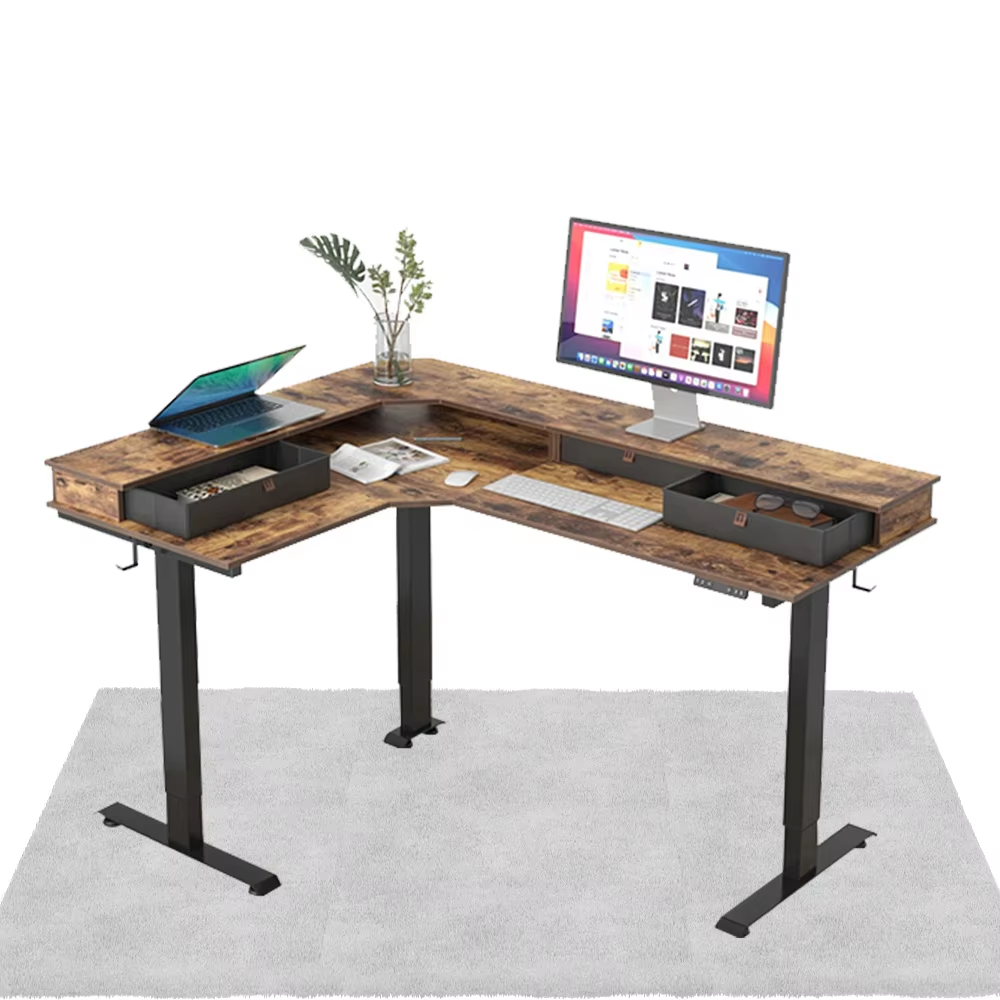
Why Ergonomics Is the Foundation of a Modern Office Desk
Posture Science and Fatigue Prevention in Daily Desk Use
Good ergonomics turns an ordinary office desk into something that actually helps protect workers' health instead of harming it. Most people sit at their desks for about three quarters of their workday, and sticking with regular old desks without adjustments can raise back pain problems by around 40%. Ergonomic desks fight against this issue because they let users tweak heights just right so spines stay in better position. This small change alone cuts down on disc pressure by as much as 30% when compared to those plain fixed height models. What makes these desks worth considering? They come with rounded edges that keep forearms from getting squished while typing away at keyboards all day long. Plus there are those adjustable stands that allow going between sitting and standing positions throughout the day, which gets blood flowing better than staying seated constantly. The surfaces themselves distribute weight more evenly too, preventing uncomfortable pressure spots from forming. Workplace research shows that together these features cut muscle tiredness down by nearly 28% over long periods of computer work. Pretty impressive stuff when thinking about what kind of difference smart furniture choices can make for overall body health.
Optimal Monitor Height, Keyboard Position, and Arm Alignment
Getting workstation components properly aligned helps prevent those annoying strain injuries that build up over time. When setting up monitors, aim for the top third to be at eye level distance from the face somewhere between 17 and 22 inches away. This avoids bending the neck forward, which actually puts around 27 extra pounds of pressure on the cervical spine for every inch someone tilts their head forward. For keyboards, there are a few basic principles worth remembering. Keep elbows bent at about 90 to 110 degrees, let wrists stay in a neutral position rather than being forced down or up, make sure shoulders remain loose while forearms stay roughly parallel with the ground. And don't forget to place the keyboard right below where the monitor sits to stop any unnecessary twisting of the spine during work hours.
| Component | Ideal Position | Injury Risk Reduction |
|---|---|---|
| Monitor | Top bezel at eye level | Neck strain – 45% |
| Keyboard | 2–3" above thighs | Carpal tunnel – 32% |
| Mouse | Adjacent to keyboard | Tendonitis – 28% |
This alignment keeps arms close to the body, mitigating “reaching syndrome”—a leading cause of 58% of office-related shoulder injuries. When consistently applied, these adjustments convert any office desk into a productivity-enhancing health asset.
Choosing the Right Adjustable Office Desk: Types, Features, and ROI
Electric, Crank, and Programmable Desks Compared
Adjustable desks come in three main types these days: electric, crank operated, and programmable models. Electric versions have those silent motors that let people adjust heights quickly and easily. Great if someone needs to switch positions throughout the day, but they tend to cost quite a bit more than other options. Crank desks are still pretty popular because they work reliably without any fancy electronics. They sit somewhere in the middle price wise, although turning that handle can be a bit of a hassle when trying to get back into work after adjusting. Programmable electric desks take things even further by letting users store their favorite settings so they just press a button to reach their preferred height. Most top brands now build these desks to hold well over 300 pounds safely at any height setting, which makes sense given how important proper ergonomics has become in modern workplaces.
| Mechanism | Ease of Use | Price Point | Key Benefit |
|---|---|---|---|
| Electric | High | Premium | Smooth, effortless adjustment |
| Crank | Moderate | Mid-Range | Lower upfront investment |
| Programmable | Highest | Premium+ | Customizable presets |
The North American ergonomic furniture sector is projected to grow by $6.15 billion through 2030 (TechSci Research, 2024), underscoring accelerating adoption driven by measurable health and performance outcomes.
Remote Team Productivity Gains After Office Desk Upgrade
When it comes to ergonomic improvements, companies see real money back on their investment, particularly when working with remote staff. Studies show that adjustable workstations cut down employee tiredness by around 47 percent and boost concentration levels during tasks by about 31% according to research from the American Psychological Association last year. For businesses spread across different locations, these numbers mean something tangible in terms of return on investment. We're talking about serious costs here too – big corporations lose over seven hundred forty thousand dollars annually just from lost productivity caused by muscle and bone problems as reported by the Ponemon Institute in 2023. Workers who have access to desks they can adjust in height experience roughly 22% fewer breaks due to physical discomfort and maintain better performance consistency throughout the day at about 15% improvement rate. All these benefits help keep employees healthy longer and fit right into modern workplace wellness programs backed by actual data rather than guesswork.
Cable Management and Desk Organization for Clutter-Free Focus
Scalable Cable Solutions That Support Evolving Tech Needs
The mess of tangled wires beneath office desks isn't just an eyesore but creates real problems too - people actually trip on them sometimes! Plus research from the Ponemon Institute back in 2021 found workers in messy spaces saw their productivity fall by around 27%. Good news though, there are plenty of smart fixes out there now. Under desk organizers and those flexible cable sleeves grow right along with what gadgets we plug into our computers these days. The expandable ones can hold extra screens or docking stations when needed, while adjustable clips handle those thick power cords and fancy USB-C hubs that everyone seems to need nowadays. Standing desk users will appreciate braided sleeves attached magnetically so cables don't get stretched or damaged when adjusting heights. And looking ahead, many products come with labeling spots for easy recognition plus built-in slack loops that stop cables from getting pulled apart whenever someone moves things around. All this means smoother workflows without constantly buying new equipment just because old stuff gets crowded.
Designing a Cohesive Modern Workspace Around Your Office Desk
The office desk sits at the heart of any workspace, so getting the right balance between looks and functionality matters a lot. When picking out finishes and materials, go for options that blend in instead of standing out too much. Matching wood grains work well, as do metal accents that complement existing decor elements without creating visual tension. Make sure there's enough space on top for all those devices we rely on these days, and don't forget about storage solutions that stay out of sight. Studies from Ergonomics Journal back this up showing people who work in less cluttered spaces experience around 15% better concentration levels. Try placing the desk where natural light hits it whenever feasible, and invest in some wireless gear to keep cables from turning into a mess. Putting all these elements together creates something special though not always obvious at first glance. What starts as separate pieces becomes a cohesive setup that supports both how we feel physically during work hours and our overall productivity over time.
FAQ
What is the importance of ergonomics in office desks?
Ergonomics helps reduce back pain by allowing users to adjust the desk height for better spine positioning, reducing disc pressure, and increasing overall comfort during long work hours.
Which types of adjustable office desks are available?
There are three main types: electric, crank-operated, and programmable desks. They vary in ease of use, price, and key benefits.
How can cable management improve productivity?
By organizing cables with under-desk organizers and cable sleeves, clutter is reduced, which can improve productivity by approximately 27%.