 EN
EN

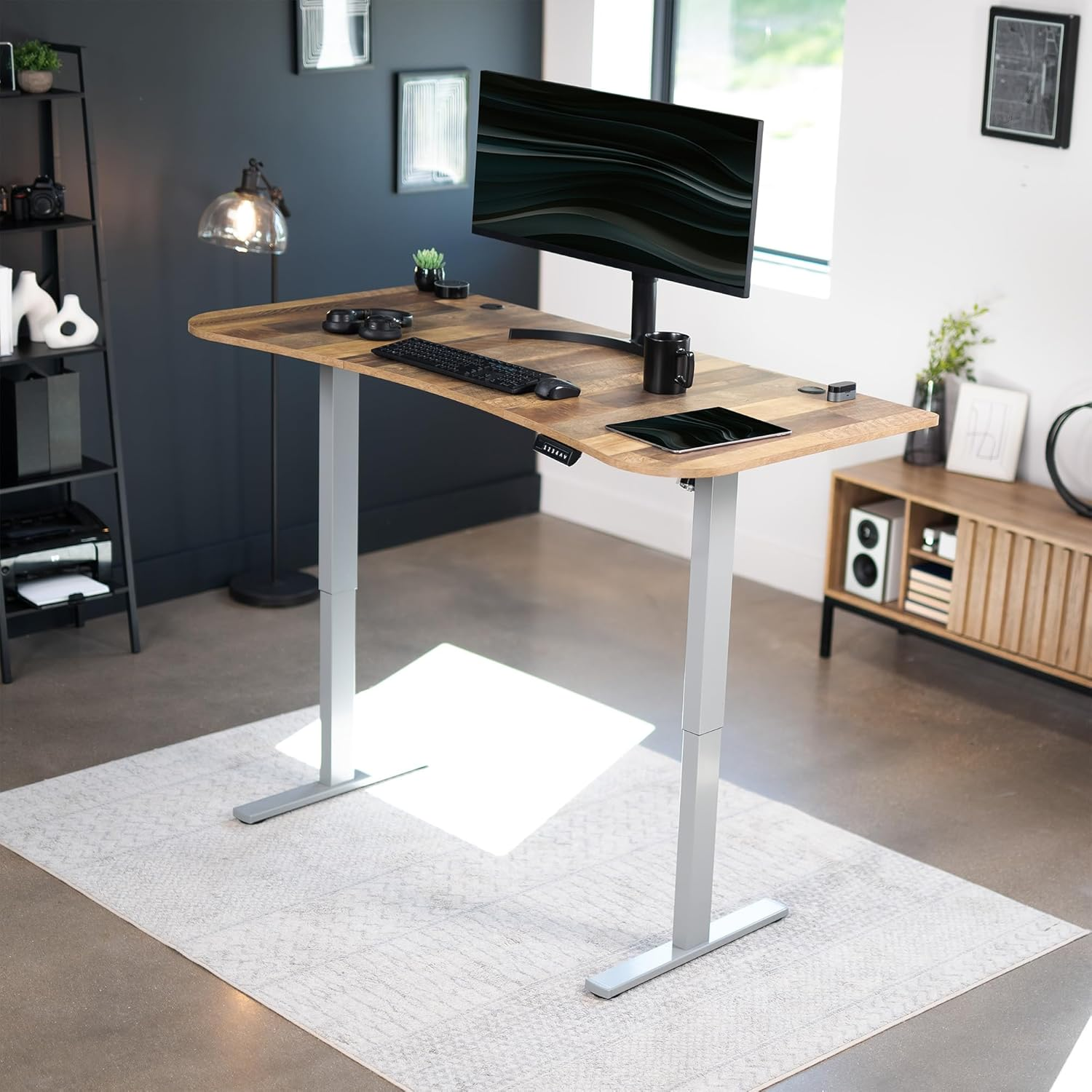
Height Adjustability and Ergonomic Benefits
How Height Adjustability Supports Proper Ergonomics in Modern Workspaces
Adjustable tables fit right into ergonomic guidelines since they can be adjusted for different body sizes. People can get their screens up to eye level and keep their wrists in a natural position while working. The ability to customize really makes a difference. Studies from 2023 show that these adjustable setups cut down neck and shoulder pain by about 42%. And workers who use them report around 34% fewer issues with their posture than those stuck at regular desks. Most ergonomic experts back this up in their research too.
Improving Posture and Reducing Discomfort Through Sit-Stand Flexibility
Alternating between sitting and standing every 30─60 minutes supports muscle engagement and circulation. Occupational health data shows workers using sit-stand desks experience 27% less lower back pain and report 19% higher comfort levels. Electric adjustment mechanisms enable smooth, distraction-free transitions, encouraging consistent use of dynamic postures throughout the workday.
Personalizing Desk Height for Diverse User Needs and Preferences
These desks support users from 4'10" to 6'8", covering the standard 48"─52" height range, and are ideal for shared or accessible workspaces. They accommodate wheelchair users and those with mobility limitations, making them essential in inclusive office environments where 68% of employees identify personalized setups as key to comfort.
Case Study: Productivity and Health Benefits of Dynamic Work Routines
A 12-month study of 450 office workers revealed measurable advantages:
| Metric | Adjustable Desk Users | Fixed Desk Users | Improvement |
|---|---|---|---|
| Productivity | +14% | Baseline | 14% |
| Sick Days Taken | -22% | Baseline | 22% |
| Posture Satisfaction | 89% | 54% | 35% |
Participants using adjustable desks also showed 31% higher engagement and completed tasks 18% faster, reinforcing the link between ergonomic design and performance gains.
Electric vs Manual Adjustment Mechanisms Compared
Types of lift systems: Electric, hand crank, hydraulic, and slot-based adjustments
Adjustable desks today typically feature one of four lifting mechanisms: electric, hand crank, hydraulic, or slot-based systems. The electric versions are probably what most people think of when they hear adjustable desk these days. Just press a button and the desk moves up or down effortlessly, great for folks who need to switch positions throughout the day. Then there are the hand crank models which still get the job done but require turning a handle manually. These tend to be cheaper options though some users find them a bit tedious after repeated use. Hydraulic systems fall somewhere in between, using fluid pressure to move the desk at moderate speeds without breaking the bank. Slot based designs work differently altogether by locking into specific height settings, making it easy to jump between sitting and standing positions without fiddling with fine adjustments all the time.
Ease of use and setup: Electric convenience versus manual control
Many electric desks come equipped with preset positions and built-in sensors that stop movement when something gets in the way, making it easy to switch between sitting and standing with just a button press. These models do need an electrical outlet though, but most have straightforward wiring systems designed specifically for typical office spaces. For those looking at alternatives, manual desk models with hand cranks work perfectly fine without any electricity at all. They tend to go together quicker than their powered counterparts too some people report cutting assembly time down by almost half. Plus, these manual versions are much easier to move around, which makes them ideal for pop-up workstations or locations where permanent installation isn't feasible.
Reliability, durability, and noise performance in daily office use
| Feature | Electric Systems | Manual Systems |
|---|---|---|
| Noise output | 45 dB (library-quiet) | 60-70 dB (moderate conversation) |
| Maintenance frequency | Annual motor inspections | Biannual lubrication |
| Average lifespan | 5-7 years | 10+ years |
| Failure rate (5-year) | 18% | 6% |
Electric systems deliver quiet operation, on par with background HVAC, but require cable management to prevent motor strain. Manual systems have fewer moving parts, enhancing longevity; however, hydraulic pistons may develop leaks after 8-10 years. For noise-sensitive environments, electric models are often preferred despite their shorter service life.
Build Quality, Materials, and Weight Capacity
Meeting Demands With High Weight Load Capacity for Modern Tech Setups
Adjustable workstations rated for over 200 pounds are becoming must-haves these days, especially when dealing with multiple monitors, bulky gaming rigs, or those heavy duty workshop tools. The real magic happens where the legs meet the frame and across the crossbars too these reinforced spots keep everything steady even when extended all the way out. Let's face it folks, two big 32 inch screens plus a standard desktop computer setup often weighs around 150 pounds already. That's why quality models feature steel reinforcements throughout their frames and clever boltless construction methods that get rid of those pesky weak spots while making the whole table much sturdier in practice.
Durable Materials: Phenolic Resin, Epoxy Resin, ESD Laminate, and Stainless Steel
The best quality desks are built with materials meant to last through years of daily wear and tear. Phenolic resin tops stand up to coffee rings, marker stains, and those inevitable pencil nicks much better than regular laminate surfaces ever could. For places where moisture is always hanging around, the legs get coated with epoxy to stop them from rusting away. Some models even feature special laminate that gets rid of static electricity buildup something absolutely necessary when working with sensitive electronic equipment or running experiments in labs. When it comes to putting everything together, manufacturers often go for stainless steel screws and aluminum frames instead of cheaper alternatives. These components just don't corrode like regular steel does, which means fewer repairs down the road and desks that keep looking good for far longer.
Balancing Strength and Portability in Frame Design
New frame designs cut down on weight by about 30 percent when they incorporate honeycomb tabletop structures along with those tubular steel legs. The furniture stays strong but becomes much easier to move around. For people who work from home or different locations, dual wheel casters equipped with automatic braking systems are really handy. Most folks working remotely appreciate this feature, with surveys showing that roughly two thirds find it essential for their constantly changing workspace arrangements. When adjusting heights, cross braced frames help prevent any annoying wobbling problems. This means the desk remains stable whether someone is sitting down or standing up while working.
Workspace Size and Layout Flexibility
Optimal surface area for efficient multitasking and equipment placement
Adjustable desks that measure between 42 and 60 inches wide work best when someone needs space for several devices and various tools without everything feeling cramped together. Many office experts suggest dividing work areas into different sections one for concentration tasks, another for team discussions, and a third just for storing stuff this setup actually cuts down on moving around between different workstations by roughly a third according to some studies on busy professionals. The deeper surface area, ideally over 30 inches from front to back, makes it possible to position monitors correctly about 20 to 28 inches away from eyes which helps prevent those annoying headaches from staring too close and generally feels better on the body after long hours at work.
Customizable configurations for hybrid and remote work environments
Adjustable height desks work really well for different setups whether someone needs their own space at a desk, wants to hold a meeting while standing up, or is part of a group working together in shared spaces. Looking at how companies are handling hybrid work these days, around two thirds of businesses that invested in flexible furniture found it much easier to manage when employees rotated between different office locations. The smaller desks with bases less than 24 inches deep take up minimal space which makes them great for tight home office situations. Meanwhile engineers and designers often go for those L shaped electric models because they can keep their computer screen on one side while still having plenty of room for blueprints and other materials on the other side.
FAQ
Why are adjustable desks considered ergonomic?
Adjustable desks allow users to customize the height, enabling screens to be at eye level and wrists to stay in a neutral position, thus supporting better posture and reducing neck and shoulder pain.
What are the benefits of alternating between sitting and standing?
Alternating between sitting and standing promotes muscle engagement and circulation, reducing lower back pain by 27% and increasing comfort levels by 19%, according to occupational health data.
What types of lift systems are available for adjustable desks?
Adjustable desks are available with electric, hand crank, hydraulic, or slot-based lift systems, each offering different levels of convenience, cost, and setup ease.
How do electric and manual adjustment desks compare in terms of maintenance?
Electric desks require annual motor inspections, while manual desks need biannual lubrication. Electric models offer quiet operation but may have a shorter lifespan compared to manual models.
How do adjustable desks accommodate diverse user needs?
These desks accommodate users of various heights, from 4'10" to 6'8", and are suitable for wheelchair users, making them ideal for inclusive workplaces.
What materials are used to ensure durability in adjustable desks?
Materials like phenolic resin, epoxy resin, ESD laminate, and stainless steel are used for durability, resisting coffee rings, rust, and static electricity.
Can adjustable desks handle modern tech setups?
Yes, adjustable workstations are rated to support over 200 pounds, making them suitable for tech setups with multiple monitors or heavy equipment.
Table of Contents
- Height Adjustability and Ergonomic Benefits
- Electric vs Manual Adjustment Mechanisms Compared
- Build Quality, Materials, and Weight Capacity
- Workspace Size and Layout Flexibility
-
FAQ
- Why are adjustable desks considered ergonomic?
- What are the benefits of alternating between sitting and standing?
- What types of lift systems are available for adjustable desks?
- How do electric and manual adjustment desks compare in terms of maintenance?
- How do adjustable desks accommodate diverse user needs?
- What materials are used to ensure durability in adjustable desks?
- Can adjustable desks handle modern tech setups?