 EN
EN

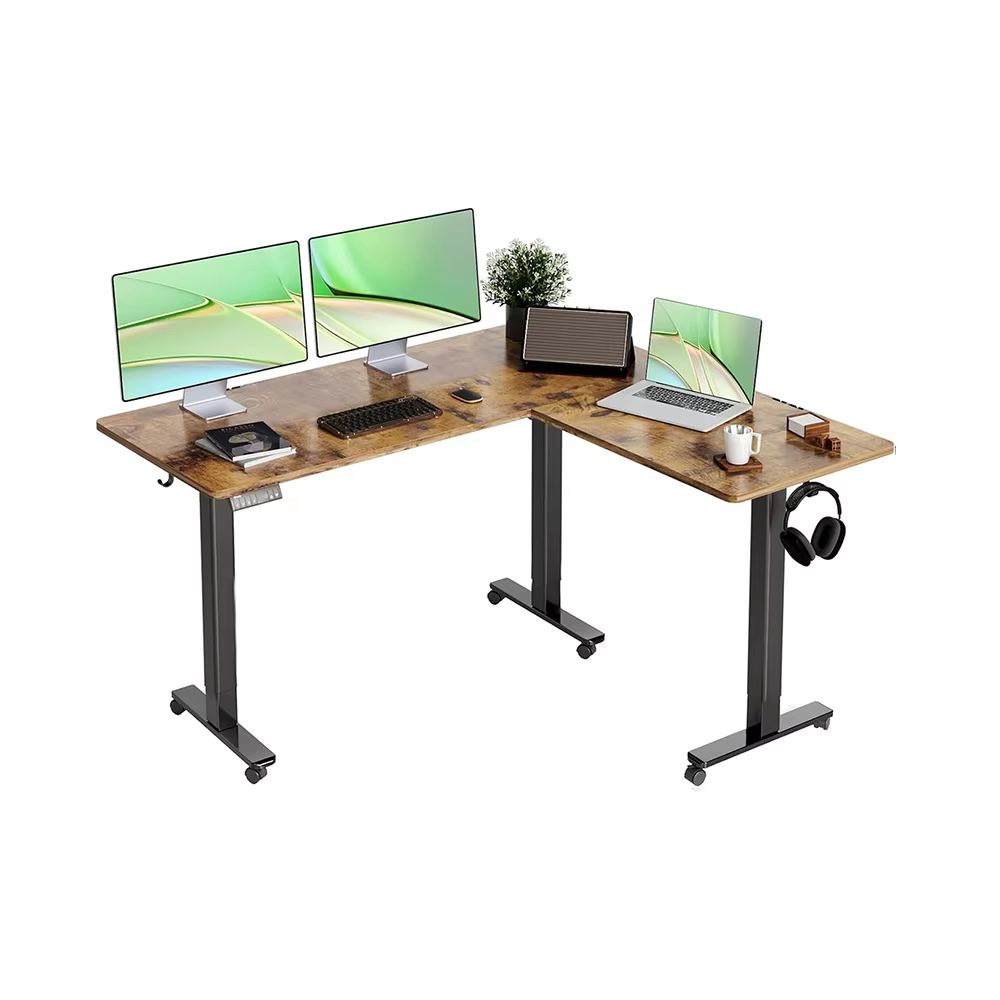
Why a Standing Desk Matters: Health Benefits and Ergonomic Science
These days, many professionals find themselves stuck sitting for hours on end. Research connects this habit to all sorts of problems like obesity, type 2 diabetes, and heart issues. Standing desks help fight these risks without completely eliminating sitting. They let people switch positions intentionally during their workday. When someone stands instead of sits all day, it actually helps reduce pressure on the spine. The body naturally shifts weight around more when standing, which gets blood flowing better through the legs and feet. Some studies even suggest that taking breaks to stand can cut down blood sugar spikes after meals by about 40% compared to just sitting there. Looking at ergonomics, getting the desk height right keeps wrists in a comfortable position and puts computer screens where they should be for the eyes. This simple adjustment prevents those annoying neck strains and hand pains from developing over time. People who regularly use standing desks tend to experience roughly 30% less back pain, plus they generally feel more alert and focused throughout the day because blood flows better to the brain. At the heart of it all is simply moving more throughout the workday. Finding a good balance between sitting and standing makes sense for both physical health and mental performance, helping workers avoid the serious consequences we know come from too much sitting.
Key Features to Evaluate in a Standing Desk
Selecting the right standing desk requires careful assessment of core features that impact functionality, safety, and long-term usability. Prioritize models aligned with your workspace needs—and your body's biomechanical requirements—to fully realize ergonomic benefits.
Height Adjustability and Motorized vs. Manual Mechanisms
The ability to switch smoothly between sitting and standing throughout the day makes these desks actually usable over time. Electric models from companies like ErgoMotion can move up and down around 40 percent quicker than those old-fashioned crank systems, plus they give much better control over exact height settings which helps keep everyone's joints in a comfortable position whether working alone or sharing space with others. Sure, electric desks usually come with a price tag about 35% higher at first glance, but think about how much less back pain people experience when adjusting heights all day long. Plus, this kind of desk just lasts longer in real-world conditions where constant manual adjustments would wear things out faster.
- Noise levels ≤ 50 dB for quiet office environments
- Lift capacity of at least 175 lbs (80 kg) to accommodate dual monitors and peripherals
- Programmable memory presets for personalized, one-touch height recall
Desktop Size, Material, and Stability Under Load
Desktop dimensions must fit both your equipment and available floor space. A standard 60" × 30" surface comfortably supports dual-monitor setups; compact 48"-wide options suit tighter home offices. Material choice influences durability, load tolerance, and aesthetic longevity:
| Material | Durability | Max Load | Cost Range |
|---|---|---|---|
| Laminate | Medium | 200 lbs | $–$$ |
| Solid Wood | High | 300 lbs | $$$ |
| Steel-reinforced | Very High | 400 lbs | $$$$ |
All desks should meet BIFMA X5.5 stability standards. Cross-braced legs and reinforced frames prevent wobble at maximum height. To test rigidity, apply 30 lbs of downward pressure at the desk's front edge—the resulting deflection should not exceed 0.5°, indicating robust structural integrity.
Integrating a Standing Desk into Your Daily Workflow
The 20-8-2 Rule: Balancing Sitting, Standing, and Movement
The 20-8-2 method works pretty well for mixing movement into daily routines. Sit for about 20 minutes, then stand for 8, followed by just 2 minutes of gentle activity like stretching legs, taking a quick walk around the office, or doing some simple calf lifts. Research shows people who follow this kind of schedule report roughly 40 percent less back pain and neck strain, plus they tend to stay focused better on their work tasks throughout the day. When starting out, don't jump right into full compliance. Try getting up twice each day for 15 minutes standing instead. Most folks find setting reminders helps them stick with it consistently over time. Remember, nobody needs to stand all day long. The real goal is simply creating regular breaks from sitting too much, which disrupts the body's natural rhythms but still lets most people finish what they need to get done at work.
Pairing with Ergonomic Accessories (Monitor Arms, Anti-Fatigue Mats)
Standing desks really shine when they come with the right gear. Monitor arms are essential for getting screens at just the right height so people don't end up craning their necks all day long. This helps prevent that nagging neck pain many office workers experience after hours at their desks. Anti-fatigue mats make a big difference too. These mats have those interesting patterns and shapes that keep our feet moving slightly while we stand. This subtle shifting actually keeps blood flowing properly instead of letting it pool in our legs. When putting together a standing workstation, it's worth investing in these accessories to get the most out of the setup.
- Position keyboards at elbow height to preserve neutral wrist alignment
- Select mats with beveled edges to minimize tripping risk
- Use adjustable sit-stand stools to support hybrid postures during longer tasks This layered approach reduces localized physical stress points by 30% compared to using a standing desk alone—transforming it from a standalone tool into a cohesive ergonomic system.
Standing Desk Buying Considerations: Budget, Warranty, and Space Constraints
Getting the right balance between what we can afford, how long something will last, and how much space we actually have makes all the difference for desk purchases. Basic manual standing desks usually fall somewhere between $100 to $300 give or take. If someone wants something that goes up and down automatically with preset positions, those typically run from about $300 up to around $700. The really nice ones with solid wood surfaces, fancy lifting mechanisms, or clever ways to hide cables often go beyond the $700 mark. When looking at warranties, aim for at least five years coverage since this shows the company believes their product stands up to regular use. Longer warranties mean fewer headaches later on and save money in the long run. People with limited space, particularly those working from home, should definitely measure their available floor space and check ceiling heights first. Desks that are not too deep (around 24 inches works well) or have tops measuring less than 55 inches across tend to stay stable while still leaving enough breathing room in tight corners. Don't forget about power outlets either! Motorized desks need access to electricity nearby, so make sure there's an outlet within reach. Cable management solutions like built-in trays or holes in the desk surface really help keep everything tidy and safe from tripping hazards, plus they just look better overall.
Frequently Asked Questions (FAQ)
Are standing desks suitable for everyone?
Standing desks can be beneficial for most people by encouraging movement and reducing the time spent sitting. However, it's important to balance sitting and standing to prevent any discomfort or strain.
How do I know if a standing desk is stable enough?
Look for desks that meet the BIFMA X5.5 stability standards and have cross-braced legs and reinforced frames. You can test rigidity by applying pressure to the desk's front edge.
Do standing desks require power outlets nearby?
Motorized standing desks need access to power outlets nearby for their electronic components. Ensure there's an outlet within reach to avoid tripping hazards.
What are some ergonomic accessories to pair with a standing desk?
Consider accessories like monitor arms, anti-fatigue mats, and adjustable sit-stand stools to enhance the ergonomic benefits of a standing desk.