 EN
EN

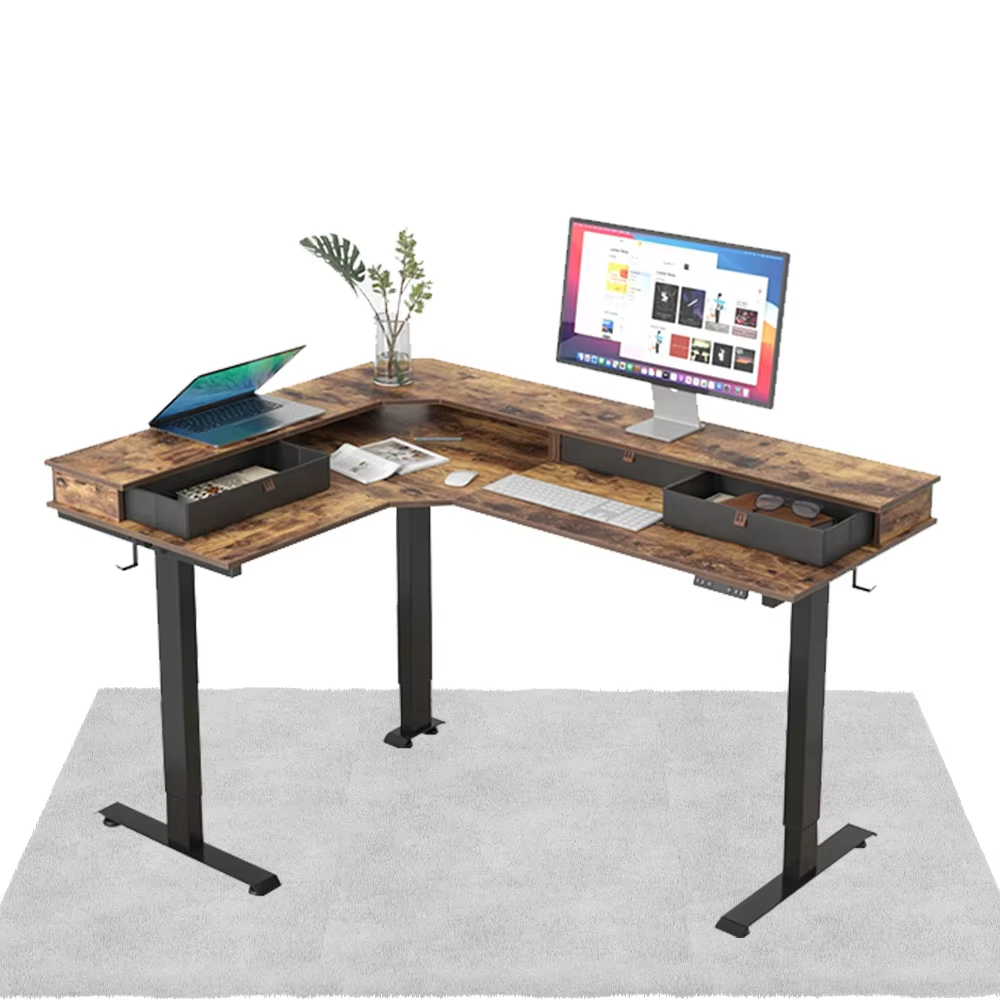
Ergonomic Height Adjustability for Sustainable Sit-Stand Work
Inclusive Height Range (24"–50") to Fit Diverse Body Types (5'4"–6'5")
The ideal height range for adjustable desks typically falls between 24 to 50 inches, covering most people from around 5 foot 4 up past 6 foot 5. This lets folks switch between sitting and standing comfortably without sacrificing support. People who are shorter generally want their desk set lower so they can plant their feet firmly on the ground with knees bent at about a right angle. Taller folks need more elevation space just to prevent slouching forward all day long. According to research from NIOSH, getting the workstation setup right cuts down on back and neck pain issues by almost half. When shopping for an electric desk, make sure the adjustment range actually matches what someone needs based on their own measurements. Also important? Test out how smoothly it moves through all those different heights. If there's even a little shake or instability at certain levels, that defeats the whole purpose of good ergonomics and will lead to tired muscles faster than expected. Getting this flexibility right helps avoid long term discomfort and makes these desks work better when multiple people share them throughout the day.
Optimal Ergonomic Alignment: Elbow Angle, Screen Height, and Posture Preservation
Getting the right desk height makes all the difference when it comes to proper body alignment. There are basically three things to watch for: where your elbows bend, how high your eyes are relative to what you're looking at, and keeping your spine straight. When working at the keyboard, whether sitting down or standing up, aim for about a 90 to 110 degree angle at the elbows while keeping wrists straight. The screen should sit so that the top part lines up with our eyes to avoid craning the neck forward. Some studies indicate this simple adjustment can cut neck pain by around half. A good adjustable desk lets us tweak things just right without struggling to get comfortable. For back health, switch between sitting and standing roughly every half hour to forty five minutes if possible. Most modern desks come with preset memory settings now which helps keep track. Moving around like this takes pressure off the joints and gets blood flowing better too. And remember, those tiny adjustments matter over time. Look for desks that offer really fine control since small changes in position can have big effects on posture in the long run.
Structural Stability and Load Capacity for Professional Multi-Monitor Setups
Minimum 300 lb Weight Capacity with Real-World Testing Validation
Good quality lift desks need to handle all sorts of workstation setups without compromising on safety or how they perform. We're talking about setups with two or even three monitors, computer towers, docking stations plus various accessories. Most industry guidelines set a baseline of around 300 pounds (about 136 kg) for load capacity. That would cover something like three top shelf 32 inch screens mounted with VESA brackets along with their supporting gear. Research published last year in Ergonomics International showed that desks built beyond this weight limit can cut down on physical strain by roughly 40 percent after long days at work. When shopping around, it makes sense to look for brands that actually release independent testing results showing how their desks hold up under realistic loads rather than just listing numbers from paper specs.
Frame Rigidity: Lateral Deflection < 2mm Under Load at Full Extension
When adjusting desk heights, stability matters a lot for staying focused on work tasks. Top quality lift desks keep things steady, showing less than 2mm side-to-side movement even when carrying 80% of their maximum weight all the way up. The industry standard for measuring this kind of stability comes from something called ISO 24415 testing, which checks how much they vibrate under stress. Good desk stability means monitors don't wobble around while someone types, cutting down on those annoying distractions that can actually raise error rates by about 17%, according to studies on workplace ergonomics. What makes these desks so stable? Well, there are several clever design elements behind this performance...
- Triple-walled steel columns with internal cross-bracing
- Reinforced corner joints using mortise-and-tenon construction
- Low-tolerance bearing systems (<0.1mm play)
| Deflection Impact | <2mm Compliance | >2mm Systems |
|---|---|---|
| Monitor Stability | No visible shake | Screen wobble during typing |
| Typing Accuracy | 98% sustained | 15% error increase |
| Longevity | 10+ year frame | 34% faster joint fatigue |
This level of engineering ensures lasting reliability, protects sensitive equipment, and sustains ergonomic performance across years of daily use.
Reliable, Quiet, and Long-Lasting Height-Adjustment Mechanism
The adjustment mechanism is central to long-term productivity—its reliability, noise profile, and lifespan directly shape daily user experience. A well-engineered system enables seamless, distraction-free transitions between sitting and standing positions.
Dual-Motor Electric Systems: Smooth Operation, Balanced Lifting, and 15,000+ Cycle Lifespan
Dual motor systems generally work better than their single motor counterparts because they spread the weight between both legs. This helps cut down on wear and tear while making everything much steadier, particularly when dealing with uneven weights or heavier items. Tests have shown that top quality dual motor models can last through around 15 thousand complete height adjustments, which translates to roughly ten years in most office settings before needing replacement. What makes them stand out is how both motors work together so smoothly during movement. The result? No annoying shaking or tilting of monitors, and the screens stay protected from damage during those frequent height changes we all make throughout our workday.
Noise Performance ≤45 dB(A): Reducing Cognitive Load and Maintaining Focus
The noise coming from office desks actually adds to mental strain when trying to focus. Desks that run below 45 decibels, similar to what you hear in a quiet library, help people stay concentrated on tough tasks. Studies have found that constant background noise over 50 decibels can lead to about 15 to 20 percent more mistakes when working on things that require good memory. For offices where multiple people work together, having desks that don't make much noise really helps everyone get along better without constant interruptions. These quieter desks achieve their sound level thanks to newer brushless motor technology and better gear systems. What's great is they still move up and down quickly enough, maintain plenty of strength, and remain stable even under heavy loads.
Durability, Warranty, and Manufacturer Support for Decade-Long Reliability
A high-quality lift desk must deliver consistent ergonomic functionality for 10+ years. Prioritize commercial-grade steel frames and industrial-grade motors validated through 20,000+ lift cycle testing—components shown to exhibit minimal wear after simulated decade-long use. Warranties serve as key indicators of manufacturer confidence: seek desks offering:
- 10-year structural coverage for frames and mechanical components
- 5-year electronics protection covering motors, controllers, and control panels
- No exclusions for lift mechanisms, actuators, or other wear-prone parts
Post purchase support matters just as much as the initial buy. Check if spare parts will still be around when needed, especially key stuff like motors, control panels, and column parts. Most manufacturers should guarantee these parts for at least seven years after they stop making the product. Good tech support makes all the difference too. When something breaks down or needs regular maintenance, having someone who can actually help reduces those frustrating wait times. Equipment that lasts longer saves money in the long run. Machines stay reliable and comfortable to work with even after years of constant professional use, which is exactly what most businesses need from their investments.
Frequently Asked Questions
Why should I choose a desk with a dual-motor system?
Choosing a desk with a dual-motor system ensures smoother operation and increased stability, especially with uneven weights, which increases the lifespan of the desk.
What's the importance of noise performance in an adjustable desk?
Noise performance is important because desks operating below 45 dB(A) reduce mental strain and help improve focus, preventing unnecessary work errors.
What warranty should I look for when buying an adjustable desk?
Look for a warranty that offers 10-year structural coverage for frames and mechanical components, as well as 5-year electronics protection without exclusions for critical parts.
Table of Contents
- Ergonomic Height Adjustability for Sustainable Sit-Stand Work
- Structural Stability and Load Capacity for Professional Multi-Monitor Setups
- Reliable, Quiet, and Long-Lasting Height-Adjustment Mechanism
- Durability, Warranty, and Manufacturer Support for Decade-Long Reliability
- Frequently Asked Questions