 EN
EN

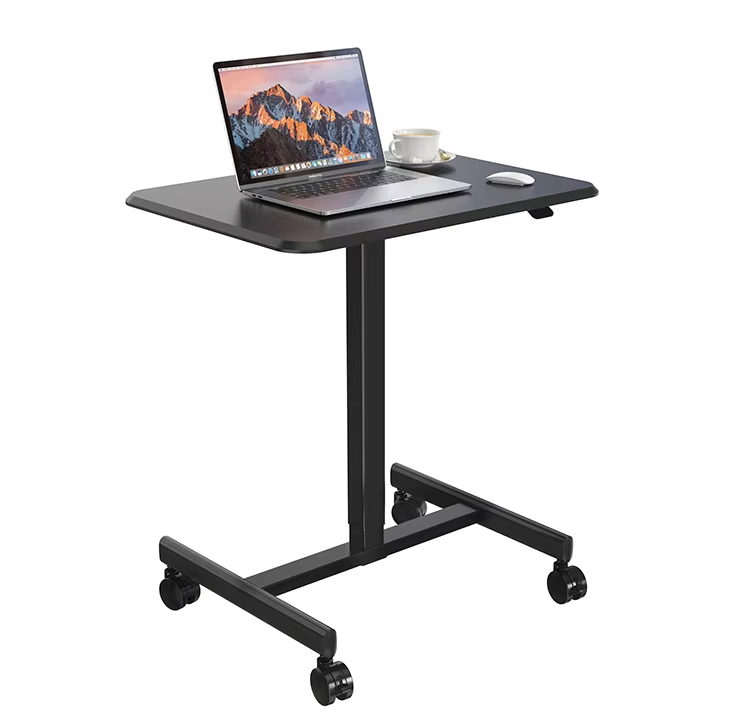
Ergonomic Design: The Foundation of Efficiency and Well-Being
How Biomechanical Alignment Reduces Fatigue and Sustains Focus
Getting our bodies aligned properly helps reduce muscle strain because it keeps our joints in their most comfortable positions. If we sit with elbows bent around 90 degrees, feet planted firmly on the ground, and screens positioned where they don't force us to look up or down too much, research suggests spinal pressure drops significantly somewhere around 40% according to Ergonomics International from last year. What happens then? Less energy gets used fighting against bad posture which actually fights off mental tiredness pretty well. Blood flows better to the brain when we're not slouching or straining our neck forward, so focus stays sharper longer. Anyone thinking about buying a new computer desk should really consider how important good alignment is for both home and office workspaces. Things like adjustable keyboard platforms and movable monitor arms let people tweak their setup just right, making those long eight hour days at the desk much easier on the body overall.
NIH-Backed Evidence: Height-Adjustable Desks and 23% Gains in Task Accuracy
Researchers from the National Institutes of Health conducted a study looking at how different desk setups affect thinking skills among office workers. They followed around 500 professionals who either used regular desks or ones that could be adjusted in height. People who switched between sitting and standing positions roughly every half hour saw their accuracy improve by about 23 percent after six months of this routine. When we move around, blood flow to the brain actually increases by approximately 15%, which helps keep our minds sharp when doing boring tasks such as entering numbers into spreadsheets or writing code all day long. Sitting for hours on end at those standard desks does the opposite though it slows down metabolism and makes people lose focus more often. What these findings show is pretty clear really adjustable desks aren't just fancy gadgets they actually help workers perform better and make fewer mistakes especially important in jobs where getting things right matters most.
Height-Adjustable Desks: Enabling Dynamic Workflows for Hybrid Environments
The 30-15-15 Rule: Science-Based Sit-Stand Rhythm for Cognitive Resilience
The 30-15-15 sitting rule has gained popularity among health experts as a way to maintain good posture throughout the day. Basically, it suggests people sit for 30 minutes, then stand for 15, followed by another 15 minutes of movement like walking around the office or doing simple stretches at their desk. This kind of schedule helps fight off that midday brain fog many experience when stuck in one position too long. Research indicates that changing positions every hour can actually boost blood flow by about 27 percent and cut down on spinal pressure by roughly 40% compared to just sitting all day. Adjustable height desks have made switching between these different modes much easier now, often requiring nothing more than pressing a button. People who work from home part time find this approach especially helpful since it works well whether they're setting up a temporary workspace or back in the company office. The regular changes keep our minds sharp too, helping us stay focused on complex problems while making fewer mistakes overall. According to surveys, most employees say they feel significantly more energetic throughout the day when following this routine rather than remaining seated all the time.
Key Selection Criteria: Matching Desk Capabilities to Real-World Efficiency Needs
Stability, Surface Area, and Accessory Integration—Prioritizing Function Over Form
Picking out a computer desk that boosts efficiency at home or in the office really comes down to three main things: how stable it stands, how much space it offers, and whether it has useful built-in features. Nobody wants their desk shaking around while they type away or adjust their monitor screen. That's something most people know from experience since around two thirds of office workers spend their days hunched over computers anyway. The actual surface area matters a lot too for getting work done properly. Most folks find that desks around 60 inches wide work best because they can fit several monitors side by side along with papers, notebooks, and all those little gadgets we tend to accumulate on our workspaces without creating too much visual chaos.
| Feature | Efficiency Impact | Minimum Recommendation |
|---|---|---|
| Stability | Prevents spills/errors during tasks | Reinforced steel legs |
| Workspace Area | Enables seamless multitasking | 60" × 30" surface |
| Cable Management | Reduces setup/maintenance time by 30% | Integrated grommets |
When accessories get integrated into desk design, they turn ordinary workstations into real productivity powerhouses. Built in USB ports mean no more tangled wires everywhere, and adjustable monitor arms plus keyboard trays help keep everything aligned properly for comfort. These aren't just pretty additions either; they actually make a difference in how people feel throughout their day. Workers experience less back pain and mental fatigue when using these features, which helps them stay focused longer on tasks. Companies that focus more on what works rather than what looks good end up creating spaces where employees can get things done faster each day without constantly fighting against poor ergonomics or inconvenient layouts.
Material and Build Quality: How Durability, Vibration Control, and Thermal Properties Shape Daily Performance
What a computer desk is made of and how it's built really affects how well it can boost efficiency in both home offices and workplaces. Steel frames or composite materials give the desk strength so it doesn't bend when someone attaches heavy monitors or accidentally bumps into it something happens all the time in busy workspaces. Rubber feet on the bottom or special surface treatments help cut down on vibrations from keyboard tapping or people walking past, which means workers can focus better without getting distracted. Desks that handle heat changes well matter too because they stay flat even near sunny windows or air conditioning vents where temperatures fluctuate constantly. Good materials mean these desks last longer before needing repairs or replacements, and that makes sense for anyone who wants their workspace setup to work reliably day after day without constant fixes.
FAQ
What is biomechanical alignment?
Biomechanical alignment refers to the positioning of our body joints in their most comfortable and efficient positions to reduce muscle strain and promote better blood flow.
How do height-adjustable desks improve task accuracy?
Height-adjustable desks allow workers to switch between sitting and standing, increasing blood flow to the brain, which can improve accuracy in tasks by 23% according to research.
What is the 30-15-15 rule?
The 30-15-15 rule is a sit-stand rhythm suggesting people sit for 30 minutes, stand for 15, and move for another 15, promoting cognitive resilience and better posture.