 EN
EN

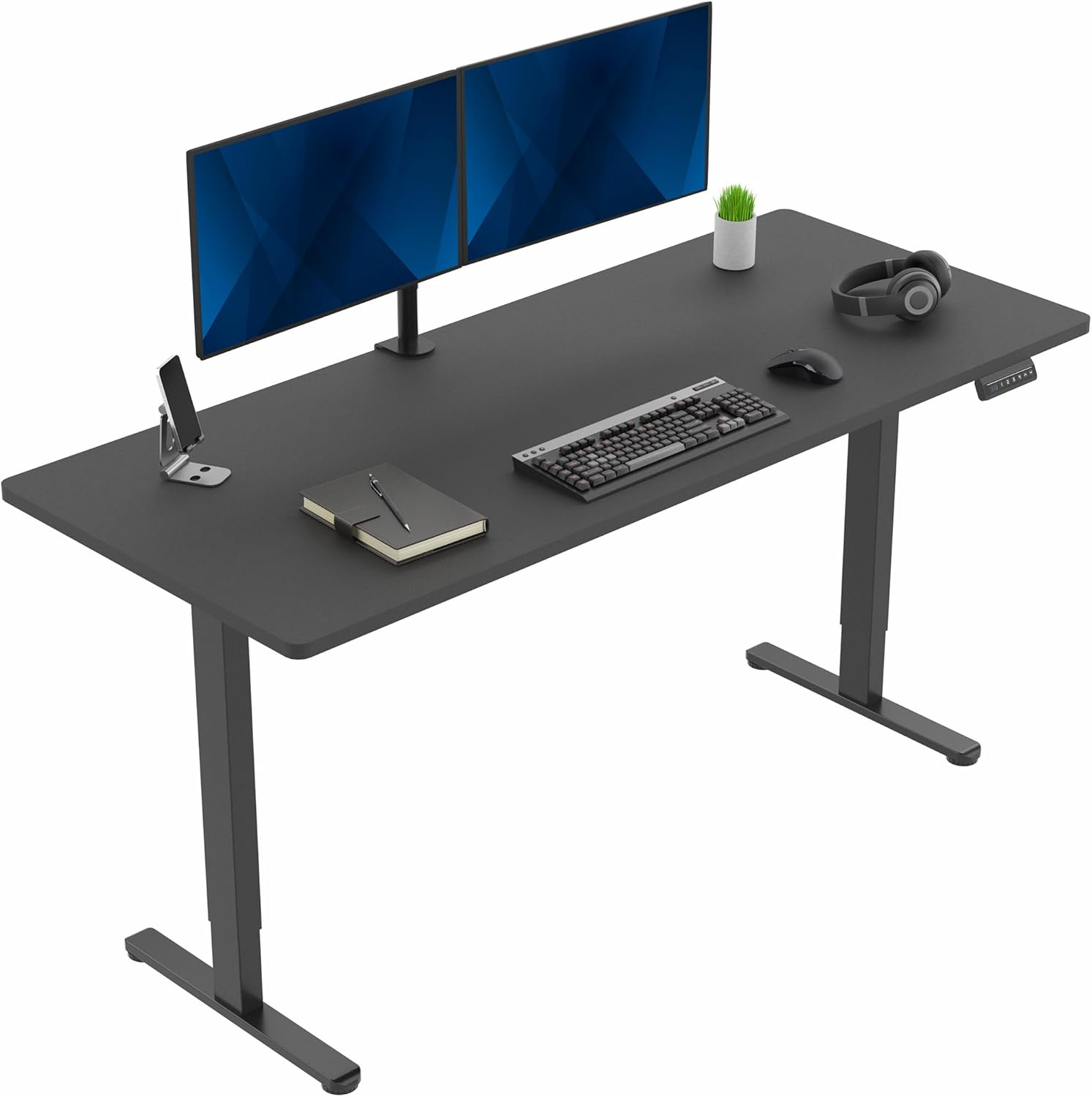
Determine Your Ideal Height Adjustment Range Using Body Dimensions and Ergonomics
Calculate Minimum and Maximum Desk Height Based on Stature and Task Posture
To find the right desk height, begin with measuring where your elbows sit when seated with both feet planted firmly on the ground. When sitting properly, elbows should form around a right angle and wrists remain straight rather than bent upwards or downwards. This gives us our baseline for what constitutes a comfortable working surface. Now stand up and check another measurement point. Most people will find their optimal standing desk height somewhere between 35 to almost 48 inches off the ground. However, folks over six foot one inch tall typically require something closer to 50 inches or even higher to maintain good posture without straining shoulders or wrists. Don't forget about shoes either! Those who frequently wear high heels might want to tack on an extra inch or two since shoe height directly affects overall body positioning at the workstation.
Factor in Workspace Constraints: Monitor Stack, Keyboard Tray, and Floor Clearance
Adding multiple pieces of equipment like monitor arms, risers or stacking displays takes away from the available vertical space in most work areas. Someone with three monitors might need anywhere from four to six extra inches compared to just having one screen at eye level. When incorporating a keyboard tray into the mix, it's important to position hands around elbow level while still leaving enough room for legs underneath. The desk should sit at least three or four inches above the thighs once someone is seated properly. There are several physical limitations to consider here.
- Floor obstacles: Deep drawers or file cabinets can destabilize the desk at its lowest setting
- Overhead fixtures: Chandeliers, suspended lighting, or low shelves limit maximum extension
- Cable slack: Confirm power and peripheral cords retain full mobility across the entire height range—no tautening at peak extension
Compare Height Adjustable Desk Mechanisms: Electric, Manual, and Hybrid Risers
Electric Desks: Dual-Motor Performance, Memory Presets, and Noise Levels
Electric desks make it easy to adjust height smoothly and consistently thanks to their motor driven mechanisms. Desks with two motors can lift heavier loads (usually over 300 pounds) move quicker and stay steadier compared to ones with just one motor. Most modern models come with preset height settings that remember your preferred sitting and standing positions so workers don't have to fiddle with adjustments all day long. Better quality units run at under 50 decibels, meaning they won't disrupt concentration during meetings or calls. They also include smart safety tech such as sensors that stop movement if something gets in the way. Although these desks need electricity to function, they help break the habit of staying seated for hours on end. This makes it much easier for people to actually switch between sitting and standing regularly throughout work hours without feeling like they're constantly adjusting.
Manual Crank and Desktop Risers: Affordability vs. Convenience Trade-offs
With manual crank desks, users actually have to put in some physical work every time they want to adjust the height. These desks typically move around 1 to 2 inches with each complete turn of the crank, which honestly makes people think twice before changing positions regularly. Then there are desktop risers that just lift up the monitor and keyboard area on top of whatever surface already exists. They're pretty basic stuff, usually costing between fifty and a hundred and fifty dollars. But both types come with their own problems. Workspace gets smaller when using either option, cables tend to get messy, and none remember where they were set last time. Even though these solutions save money upfront, they really aren't great for daily use or long term setups. The hassle involved in adjusting them might actually end up making workers stay in one position longer than intended because nobody wants to deal with all that extra effort throughout the day.
Evaluate Build Quality and Stability for Long-Term Home Office Use
When looking at height adjustable desks, they need to handle everyday wear and tear while staying stable and accurate. Start by checking weight limits - most folks should go for at least 100 pounds (about 45kg) if they want to put up two monitors, a computer tower, and other gear on there. Desks that have passed BIFMA testing usually last around 30% longer when properly loaded. Frame strength matters too. Steel reinforced legs plus crossbars between them really cut down on wobbling side to side, something that becomes super important when someone is standing at their desk. As for the actual surface area, stay away from particleboard since it tends to bow over time and gets dented easily by those monitor arm brackets. Better options include laminated bamboo or solid wood tops that are at least an inch thick. And don't forget about how much the desk bends when fully extended. If someone puts both hands on opposite corners and pushes down hard, quality desks won't bend more than half a degree. Try this test in person before making a purchase decision.
Optimize Ergonomic Integration: Cable Management, Monitor Alignment, and Sit-Stand Habits
An ergonomic height adjustable desk works best when it's part of a whole setup where everything fits together nicely. The cables need to be kept tidy so they don't get in the way when adjusting heights. Monitors should sit at eye level too, otherwise people end up craning their necks or hunching over. All those little things matter because tangled wires can really mess with someone trying to change positions throughout the day. Plus bad monitor placement leads to all sorts of strain on the shoulders and neck area. Studies have found that standing still for long periods puts about 28% more pressure on the lower back than moving around occasionally according to Ergonomics International from last year. So really, good habits count just as much as having the right equipment in place.
Avoid Fatigue Traps: Improper Monitor Height, Standing Duration, and Lack of Anti-Fatigue Support
The top of the main screen should sit around eye level or maybe just a bit lower, keeping it between 20 and 28 inches away from where we look. Standing for too long isn't great either so try not to go past an hour or so before sitting down again. This helps spread out the stress on different parts of our body instead of putting everything on one area. When standing at work, grab an anti-fatigue mat if possible. These mats can really cut down on how much pressure builds up in joints, probably cutting it somewhere around 30%. Cable management matters too. Put wires underneath desks or clip them along surfaces to keep things loose throughout all those position changes. And don't forget regular movement breaks. Even quick little movements like shifting weight around, giving those calf muscles a stretch, or just taking a short walk will do wonders for breaking up that constant tension while keeping us feeling more alert overall.
Select the Right Height Adjustable Desk Within Your Budget Tier ($400–$1,200)
Most people find that desks costing between $400 to $1,200 offer the best mix of lasting quality, practical features, and comfort for setting up a home office space. Cheaper options below $400 tend to skimp on important parts like the motor quality or frame strength, which means they break down faster or wobble when used. On the flip side, anything over $1,200 usually focuses more on looking fancy or having gimmicky extras instead of improving basic performance. When shopping in this middle range, look for desks with two motors so they move smoothly and quietly, can hold at least 175 pounds (great if someone wants multiple monitors or lots of gear around), and have strong steel frames with extra support bars across them. Studies on how people work show that spending around $500 to $800 gets the most bang for the buck in the long run, cutting down on replacements by about two thirds compared to cheaper models. Spend money where it matters most: go for super quiet motors that make less than 45 decibels and solid construction details. If cash is tight (say between $400 and $600), consider manual crank desks or hybrid models that don't need electricity. They still give basic height adjustment but just won't be as convenient day to day or help build good habits over time.
FAQ
What is the ideal desk height for someone over 6 feet tall?
For individuals over 6 feet tall, the ideal desk height should be closer to 50 inches to ensure good posture without straining shoulders or wrists.
Do electric desks require any specific maintenance?
Electric desks usually require minimal maintenance, but it's essential to ensure cords are not tangled and the motors are dust-free to maintain smooth operation.
Are manual crank desks suitable for daily adjustments?
Manual crank desks might not be ideal for frequent daily adjustments due to the physical effort required, making them less convenient for regular sit-stand transitions.
Can height adjustable desks accommodate multiple monitors?
Yes, height adjustable desks can accommodate multiple monitors, especially those with dual motors that support heavier loads.
Table of Contents
- Determine Your Ideal Height Adjustment Range Using Body Dimensions and Ergonomics
- Compare Height Adjustable Desk Mechanisms: Electric, Manual, and Hybrid Risers
- Evaluate Build Quality and Stability for Long-Term Home Office Use
- Optimize Ergonomic Integration: Cable Management, Monitor Alignment, and Sit-Stand Habits
- Select the Right Height Adjustable Desk Within Your Budget Tier ($400–$1,200)
- FAQ